How to Sell and Manage GYD 2026 Merchandise on Zenlipa
morrisonmburu7
Feb 18, 2026
4 min read
As we approach Global Youth Day (GYD) this mid-March, many youth leaders and event organizers are already beginning the process of coordinating merchandise. Traditionally, this involves sharing a Google Form, asking participants to upload payment screenshots, and manually recording sizes and colors in a spreadsheet.
While Google Forms are accessible, they often lead to administrative headaches, manual payment verification is slow, inventory tracking is non-existent, and human error in data entry is common.
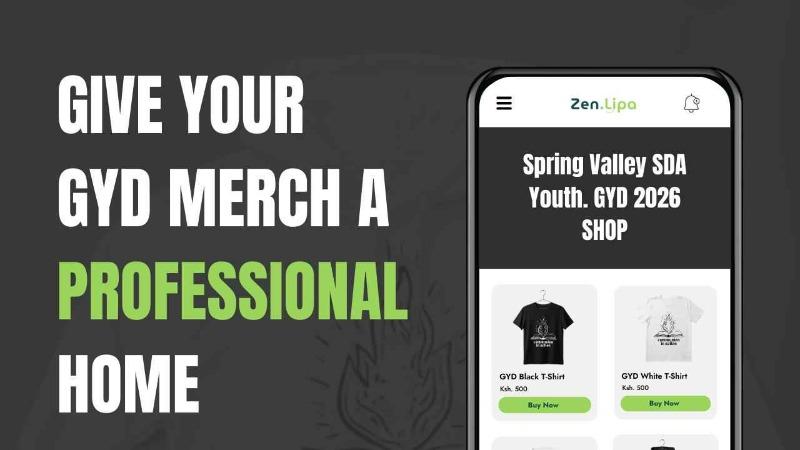
ZenShop, an integrated feature of the Zenlipa dashboard, is designed to solve these challenges. Whether you are a small local youth group or a large organization, moving your merchandise sales to a dedicated shop environment ensures a professional experience for your members and a stress-free management process for you.
Why Switch from Forms to ZenShop?
According to the ZenShop features, the platform offers several convenient and logistical advantages over manual methods:
-
Automated Payment Reconciliation: Unlike forms where you must manually verify M-Pesa or card transactions, ZenShop handles the payment at the point of sale. An order is only confirmed once payment is successful.
-
Centralized Inventory Management: You can see exactly how many Medium or Extra-Large shirts are left in real-time.
-
Professional Storefront: Your products are hosted on a clean, secure interface that builds trust with your community.
-
Unified Dashboard: Orders, attendee data, and affiliate marketing are all in one place, rather than scattered across different spreadsheets.
Step-by-Step: How to Create and Publish Your Product
Setting up your shop is straightforward. Here is how you can move your GYD merchandise or organization uniforms online:
1. Navigate to the Shop Section
Log in to your Zenlipa dashboard. On the sidebar menu, locate and click on the Shop option, then click the Add Product button.
2. Enter Product Details and Specifications
This is where you define exactly what you are selling. For Global Youth Day, you would enter the product name (e.g., "Official GYD 2026 T-shirt").
To avoid the confusion of manual size requests, use the Specifications feature:
-
Sizes: List your available stock, such as XXL, Large, Medium, and Small.
-
Colors: If you have options like Black and White, add these as variants.
-
Description: Add a brief note about the fabric quality or the deadline for orders.
This allows the user to simply select their preferred size and color from a dropdown menu before checking out, eliminating the need for follow-up calls to clarify orders.
3. Save and Automatically Publish
Once you click Save, your product is live. ZenShop handles the distribution based on your preference:
-
Organization Website: The product will automatically appear on your main organization page.
-
Event-Specific Listing: If you link the product to your mid-March GYD event, it will be listed directly under that event’s page. This makes it incredibly easy for attendees to buy their tickets and their merchandise in one seamless journey.
Managing Orders for Large Groups
For large-scale events like Global Youth Day. Once the orders start coming in, the Zenlipa dashboard allows you to export a clean, organized list of all purchases.
Instead of scrolling through a Google Sheet and cross-referencing bank statements, you can generate a report that tells your printer or tailor exactly how many T-shirts of each size and color were ordered. This data-driven approach ensures that you never over-order stock or run out of a popular size.
Transitioning from manual forms to an automated shop doesn't just save time; it elevates the brand of your organization. By using ZenShop for your upcoming March events, you ensure that your focus remains on the impact of the event itself, rather than the logistics of the merchandise.
Are you ready to set up your zenshop store for Global Youth Day? Visit ZenShop to get started.
Share this post: