How to Receive Instant Payouts from Your ZenLipa Tipping Link
morrisonmburu7
Mar 14, 2026
2 min read
The transition from physical cash to digital payments has changed how service professionals receive tips. ZenLipa provides a streamlined way to bridge this gap through individual tipping links. This guide explains how to set up your link and manage the funds you receive.
Creating a personal tipping link is a straightforward process designed for immediate use.
-
Account Access: Log in to your ZenLipa dashboard.
-
Navigate to Tipping: Select the "Tipping" section from the main menu.
-
Create New Link: Click on "Create Tip Link." You will be prompted to choose a unique handle (e.g., zenlipa.co.ke/yourname).
-
Configuration: Ensure your link status is set to "Active." You can also add a brief note or a profile photo to help customers identify you.
-
Deployment: Once saved, you can share this link directly via message or generate a QR code to be printed on business cards or shared on a device screen.
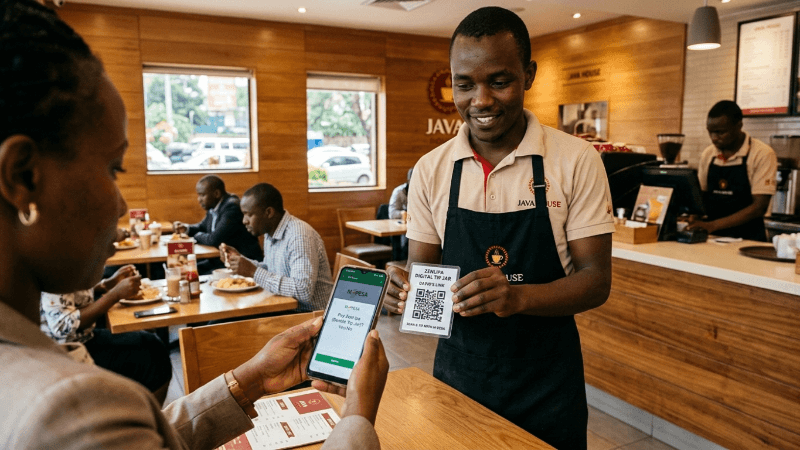
Consider David, a waiter at Java House. During a busy lunch hour, a customer realizes they aren't carrying physical cash but wishes to leave a tip for David's service.
Instead of a missed opportunity, David presents a small card with his ZenLipa QR code. The customer scans it, enters an amount, and completes the payment via mobile money. David receives a notification instantly. The funds are not sent to a general pool; they are deposited directly into the digital wallet associated with David's specific tipping link.
One of the primary advantages of a digital tip jar is the immediacy of the funds. Once a tip is received, the balance in your ZenLipa wallet is updated in real-time. You have several options for utilizing these funds:
-
Mobile Money Withdrawal: You can transfer your balance directly to your M-Pesa number at any time, providing instant liquidity for daily expenses.
-
Bank Transfers: For larger accumulated amounts, you can initiate a transfer to a linked bank account.
-
Direct Utility Payments: ZenLipa allows you to use your wallet balance to pay for essential services without withdrawing the cash first. For example, you can settle your monthly WiFi subscription or pay other utility bills directly through the platform.
This system ensures that your earnings are accessible when you need them. To create your digital tip link today, visit Zenlipa Tipping
Share this post: