How to Manage Event Marketing Using Affiliates on Zenlipa
morrisonmburu7
Feb 18, 2026
3 min read
Effective event marketing often relies on community reach. Rather than managing a broad, untracked marketing budget, many organizers leverage a "pool of marketers" individuals, influencers, or partners who already have an established audience.
By using Affiliates and Promo Codes, you can decentralize your marketing efforts while maintaining full control over attribution. This allows you to see exactly which partner is driving registrations and reward them accordingly based on actual performance.
The Scenario: A Practical Application
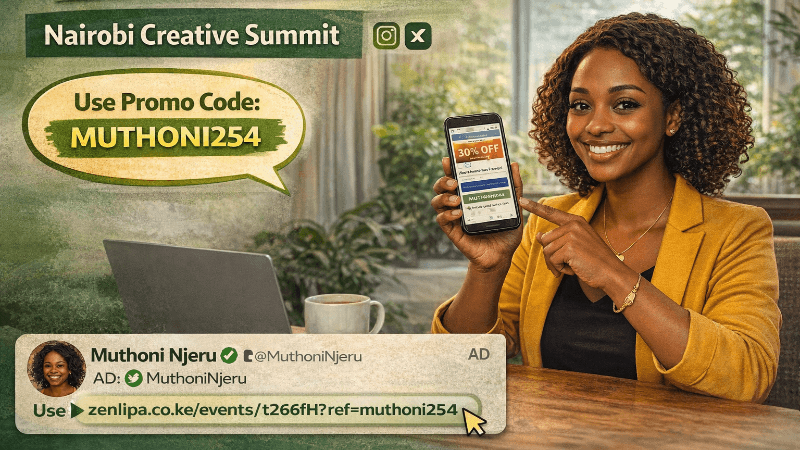
Consider you are organizing the "Nairobi Creative Summit." You have partnered with a local lifestyle and tech influencer, Muthoni Njeru, who has a dedicated following on Instagram and X (formerly Twitter).
Instead of Muthoni just posting a general link, you provide her with a unique affiliate link and a custom promo code (MUTHONI254). When Muthoni’s followers use her link or code, they receive a discount, and you get clear data showing that she was the source of those specific ticket sales.
Step-by-Step: Creating an Affiliate Link on Zenlipa
Follow these steps to set up and manage your affiliate marketing directly from the dashboard:
-
View Your Event - Log in to your Zenlipa dashboard and select the specific event you wish to manage from your event list.
-
Click on the Affiliates Tab - Within the event management menu, locate and click on the Affiliates tab. This section serves as the database for all external partners marketing your event.
-
Add Affiliate - Click the button to add a new partner.
-
Affiliate Name: Enter the name of your marketer (e.g., Muthoni Njeru).
-
Affiliate Code (Optional): Enter a unique string, such as MUTHONI254. While optional, this code is highly effective for social media "call-to-action" posts where a link might not be clickable (like in an Instagram caption or a podcast mention).
-
Save and Share - Once you save the details, Zenlipa generates a unique URL. You can now share this specific affiliate link with Muthoni. She can use this link in her bio, "swipe-up" stories, or email newsletters.
Tracking Performance and Attendance
The primary benefit of this system is the data it provides post-sale. To see how your affiliates are performing:
-
Filter the Attendees List: Go to your attendees' dashboard. You can filter the list based on the Affiliate Name. This allows you to see a list of every person who registered through Muthoni’s efforts.
-
Data-Driven Rewards: By seeing exactly who brought in 10 attendees versus 100, you can accurately calculate commissions or provide "top-performer" incentives without the guesswork of manual surveys.
Providing affiliates with their own promo codes often increases conversion rates because it offers tangible value (a discount) to their audience, making the marketing feel less like an advertisement and more like an exclusive perk for their followers.
To create your event and affiliate links on zenlipa visit Zenlipa Events
Share this post: