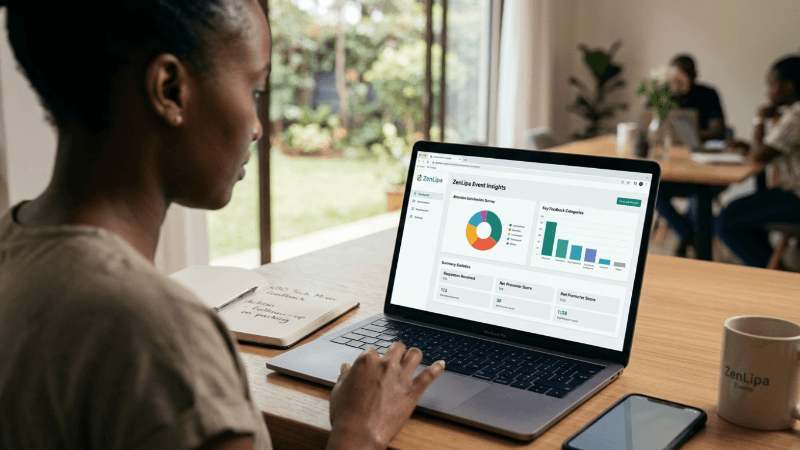
How to Collect Event Attendee Feedback on ZenLipa
morrisonmburu7
Mar 19, 2026
3 min read
In the modern event industry, the difference between a one-off gathering and a thriving community often comes down to how well you understand your audience. We’ve moved past the era of "gut feelings." Today, successful organizers rely on data-driven decision-making to refine their offerings, improve attendee satisfaction, and maximize their return on investment.
Why Data and Feedback Matter Today
Collecting feedback is about gathering actionable intelligence. When you collect data from bookers and attendees, you gain insights into:
-
Preference Patterns: Understanding which sessions or features were the most popular.
-
Operational Friction: Identifying if check-ins were slow or if the venue was difficult to navigate.
-
Future Planning: Knowing exactly what your audience wants to see next, which reduces the risk of your next event underperforming.
By closing the loop between the event and the attendee, you transform a passive experience into a collaborative one.
Step-by-Step: Creating and Managing Surveys on ZenLipa
ZenLipa makes it straightforward to gather this information by integrating the survey process directly into your event management workflow. Here is how you can set it up:
1. Navigate to Your Event
Log in to your dashboard and locate the event you wish to gather feedback for. Click on View Event.
2. Access the Surveys Section
On the event page, look for the Surveys or Feedback tab. This is your central hub for all attendee communication and data collection.
3. Add Your Questions
Click on "Add Survey" to begin building your questionnaire. You can add various types of questions depending on what you need to know.
e.g If you are hosting a "Nairobi Tech Mixer," your survey might include:
-
How would you rate the relevance of the guest speaker?
-
What is one topic you’d like to see covered in our next meetup?
4. Distribute via WhatsApp
Once you have finalized your questions, you have the option to Send the Survey. You can send it to your entire attendee list or select specific individuals.
One of the coolest features here is the WhatsApp integration. Selected attendees receive the survey directly on their WhatsApp account. This reduces friction significantly, as they can provide feedback in a familiar environment without needing to log into a separate portal or check a cluttered email inbox.
5. Review and Analyze Responses
As soon as attendees begin responding, you can View Responses in real-time within the same tab. Reviewing these responses allows you to see trends immediately, helping you understand the "vibe" of your event while the details are still fresh in everyone’s minds.
Making the Most of Your Data
Once the responses are in, don't let them sit idle. Use the feedback to update your next event's pending tasks. Whether it's changing the catering, adjusting the start time, or booking a different style of speaker, these small, incremental improvements driven by actual user data are what lead to long-term success.
Click to launch your next event on ZenLipa and get the valuable insights you need to scale: Zenlipa Events.
Share this post: